01 / CORE
Every KB, under control.
Set separate limits for download and upload traffic. Choose quick presets and adjust the experience to suit your connection.
SPEED PRESET PREVIEW
Interactive website preview · KB/s
Take precise control of download and upload speeds. Limit every app or just the ones you choose — with an elegant Android experience that puts you in charge.
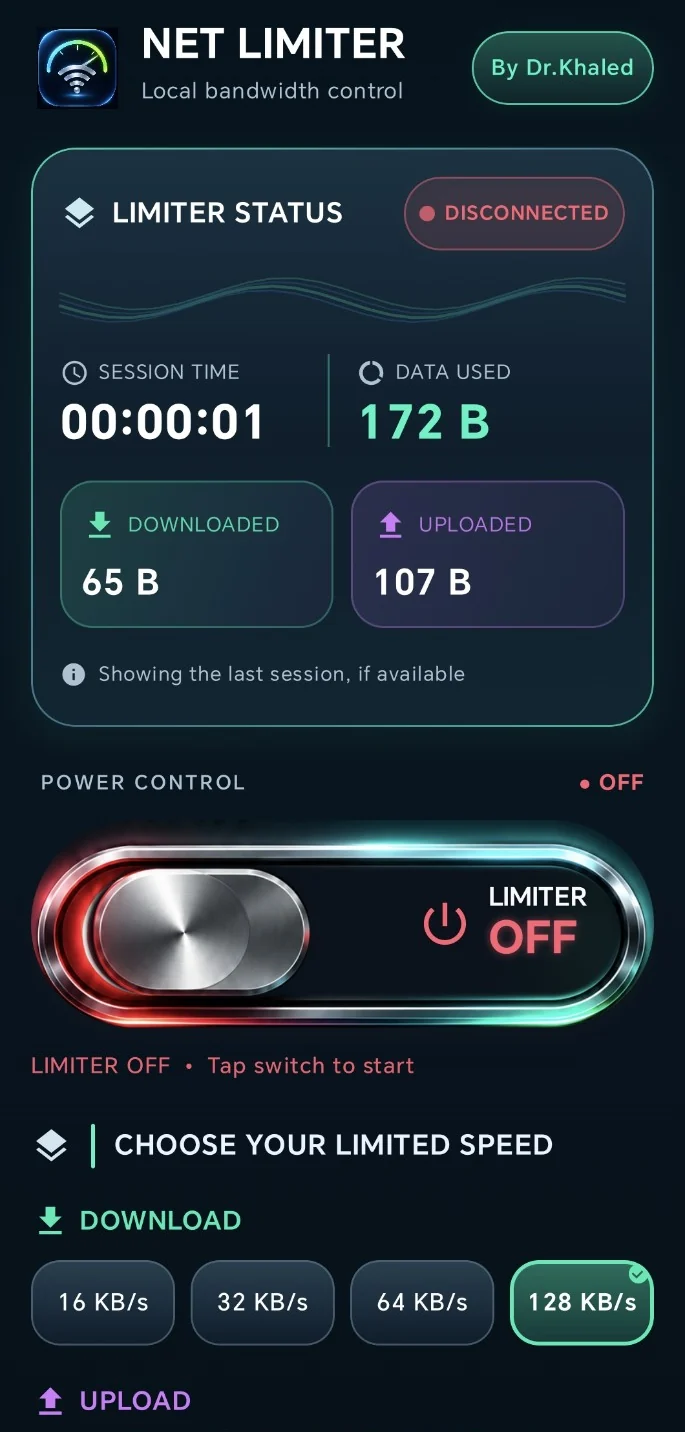
Advanced bandwidth controls, reduced to an experience that's beautifully simple.
Set separate limits for download and upload traffic. Choose quick presets and adjust the experience to suit your connection.
Limit every app, choose specific apps, or exclude the ones you want left alone.
A tactile, unmistakable power switch shows whether the limiter is on or off.
NetLimiter uses Android's local VPN interface for traffic control. No root and no remote VPN destination is required.
See connection status, session time and data usage without digging through menus.
A carefully built interface, designed to feel as good as it performs. Clear status, effortless presets, refined visual feedback — everything right where you expect it.
The essentials, without the trade-offs.
No account required for basic limiting. No complicated setup. Just your connection, your limits, and a single switch.
Get the official signed APK from Netlimiter.app and install it on Android 10+.
Pick download and upload speeds, then target all apps or only the apps you select.
Approve Android's local VPN request and your limiter is ready to run.
Everything you need to take control of your Android connection. Free, unlimited, and always yours.
 netlimiter.BY DR KHALED
NetLimiter is distributed as a signed Android APK directly from its official website. Here's how to get started.
Android may request permission to install apps from your browser or file manager. Review the permissions carefully. Never turn off device security protections.
Download the signed APK from this page once the release is available.
Open the file on your Android device and allow installation from the chosen source if prompted.
Install, open NetLimiter and grant the local VPN permission when you choose to start limiting.
Yes. All limiter features are free to use, without subscriptions or paid unlocks. The app may display ads.
No. NetLimiter uses Android's local VPN technology to control internet traffic.
No. This is a bandwidth limiter, not a service for changing your IP or location.
NetLimiter is designed for both Wi-Fi and mobile data. Results can vary depending on the device and Android version.
The app can notify you of updates, then direct you to download a newly signed APK from the official site. Android requires your approval to install updates.